What DPI Do You Need for Printing? 300 DPI Explained Simply
The plain answer to what DPI you need for printing: 300 at the final size, 150 as the minimum. With the pixel math for shirts, cards and tumblers, and how to check your own file.
The short answer: use 300 DPI at the final print size, treat 150 DPI as the minimum, and expect a file under 150 DPI to look blurry or pixelated. Do not trust the DPI label on a file. Do the pixel math instead: multiply the print width in inches by 300. A shirt design that prints 12 inches wide needs about 3600 pixels across.
That is the answer to “what DPI for printing” for shirts, mugs, tumblers, business cards and flyers. At VS Print Studio in Houston we prepare the print-ready file at the right size and canvas, so you do not have to calculate anything. Knowing the math still helps you pick the right image before you send it. This guide covers DPI vs PPI, a table with our real canvases, how to check a file on your phone or computer, and which images hold up.
DPI vs PPI: what the letters mean
DPI stands for dots per inch. Strictly speaking, it describes how many dots of ink a printer places in an inch. PPI stands for pixels per inch, and it describes how many pixels of an image fit into an inch of the finished print. Most people use DPI for both, and so do we. In this guide, DPI means the pixels your image has for each inch of the final print.
The size of the print is the key. The same image has a different DPI at every print size: stretch it over more inches and the DPI goes down, print it smaller and the DPI goes up. That is why we always say “300 DPI at the final size”, never just “300 DPI”.
What do 300, 150 and under 150 DPI look like?
| DPI at the final size | What to expect | Our advice |
|---|---|---|
| 300 | Sharp, detailed results | Recommended |
| 150 | Usable, but some designs lose sharpness | The minimum |
| Under 150 | Likely to look blurry or pixelated | Not recommended |
At 300 DPI the pixels are too small to notice at a normal viewing distance, which is why it is the standard for sharp prints. Below 150 DPI, individual pixels start to show on edges and small text.
How many pixels do you need? The formula
Pixels needed = print size in inches x DPI
- For 300 DPI, multiply the inches by 300.
- For the 150 DPI minimum, multiply the inches by 150.
- To find your file’s DPI at a given size, divide its pixels by the inches.
DPI reference table for our most common items
Compare your file’s width in pixels with these numbers. A file between the two columns is usable but not ideal, so aim for the first one.
| Item | Print size | Ideal at 300 DPI | Minimum at 150 DPI |
|---|---|---|---|
| Adult shirt, size S | 10.5 in wide | 3150 px wide | 1575 px wide |
| Adult shirt, size L | 12 in wide | 3600 px wide | 1800 px wide |
| Adult shirt, size 3XL | 14 in wide | 4200 px wide | 2100 px wide |
| Left chest | 3.5 to 4 in wide | 1050 to 1200 px | 525 to 600 px |
| Business card (final size) | 3.5 x 2 in | 1050 x 600 px | 525 x 300 px |
| Flyer (final size) | 4 x 6 in | 1200 x 1800 px | 600 x 900 px |
| 11 oz mug wrap | 8.5 x 3.5 in | 2550 x 1050 px | 1275 x 525 px |
| 40 oz tumbler wrap | 10.5 x 7.5 in | 3150 x 2250 px | 1575 x 1125 px |
| Keychain | 2 in | 600 px | 300 px |
| Pillow, 18 x 18 in | 18 x 18 in | 5400 px square | 2700 px square |
Cards and flyers are cut after printing, so their files also need bleed: 1125 x 675 px for a card and 1275 x 1875 px for a flyer. We add it for you, and bleed and safe zone explained shows how it works. Youth and women’s cuts have smaller print areas, and sizes vary slightly between brands, so we confirm the exact area before printing.
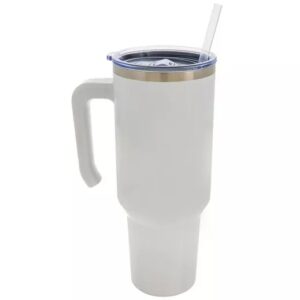
A shirt like our Gildan G500 Heavy Cotton tee uses the shirt rows, the 40 oz white stainless tumbler uses the tumbler row, and our 4x6 flyers use the flyer row. The t-shirt print size chart lists every garment size.
How do you check the size of your image in pixels?
The DPI number in a file’s properties tells you little, because it can be edited without adding a single pixel. A 600-pixel logo marked “300 DPI” is still a 600-pixel logo, and at 300 DPI it covers only 2 in. Look at the width and height in pixels instead:
- Windows: right-click the file, choose Properties, then Details, and look for Width and Height.
- Mac: select the file, press Command-I and open More Info to see the dimensions.
- iPhone: open the photo and swipe up, or tap the info button. Recent versions of iOS list the size in pixels.
- Android: open the photo in your gallery app and tap Details.
- Photoshop: go to Image, then Image Size, and untick Resample to see the print size in inches without changing a pixel.
Design apps also often export at a lower resolution than you expect. Check the pixel size of the file you download, not the size you saw while designing.
Does enlarging an image fix a small file?
No. Enlarging a small image in an editor creates new pixels by guessing between the old ones. The image gets bigger and looks smoother, but not sharper, because the detail that was never captured is still missing. A 600-pixel logo stretched to 3600 pixels still holds only 600 pixels of real information.
What helps is a better source: the original file, a larger version from the designer, or a vector version, which has no DPI limit at all (see our guide to vector vs raster images). When none exists, we can sometimes rebuild a simple logo as clean artwork or enlarge it. We tell you before printing, and if it will not hold up, we suggest a better file or a smaller size.
Phone photos, screenshots and WhatsApp: what holds up?
- Original phone photos usually work. Many recent phones save photos around 4000 x 3000 pixels. That covers the 3150 x 2250 px wrap of a 40 oz tumbler with some room to crop.
- Screenshots do not. A screenshot holds only the pixels your screen was showing. It is not a copy of the original image.
- Chat copies are compressed. WhatsApp and similar apps shrink photos you send as photos. Send the original as a document, or by email.
- Social media pictures are small. Downloading one from a profile or a post gives you a reduced copy.
- Heavy zoom and tight crops cost pixels. A zoomed-in shot or a tight crop leaves fewer pixels for the print.
For gifts, choosing the right photo matters as much as resolution. Our guide to choosing the right photo for a gift covers faces, light and framing.
When is low resolution fine?
Very large prints that people see from far away, such as a roadside billboard, can use a much lower resolution, because the eye cannot pick out the pixels from that distance. Nothing we make works that way. Shirts, mugs, tumblers, cards and flyers are seen up close, in the hand or on the body, so the 300 and 150 DPI rules apply.
Two cases are different. Vector artwork has no resolution problem at all. Embroidery turns your design into stitches instead of pixels, although a clean, large logo still gives the best start.
How we can help with a small or blurry file
Send the file you have, even if you doubt it. We check its size against the item, tell you before printing whether it will hold up, and prepare the print-ready file at the right size and canvas. If it is too small we may be able to rebuild or enlarge it. If not, we suggest a better file or a smaller size. You see a mockup first, and nothing is printed until you approve it.
Most standard orders are ready in 2-5 business days after you approve the design, and larger or more complex orders may need more time. You can pick up in Houston or have it shipped across the U.S., and we answer in English or Spanish. Read the artwork guidelines, see how made-to-measure printing works, or ask for a free quote.
Quick DPI checklist
- I know the print size in inches, or the item and its size
- I multiplied the width by 300 to get my target in pixels
- My file reaches at least half of that number, and ideally all of it
- It is the original, not a screenshot or a chat copy
- I checked the pixel size, not just the DPI label
- If it is too small, I looked for a bigger or vector version
- For a full pre-send review, I read the print-ready artwork checklist
Products mentioned in this guide
-
T-shirt
Gildan G500 Heavy Cotton™ 5.3 oz T-Shirt
$17.99 Select options This product has multiple variants. The options may be chosen on the product page


Frequently asked questions
What DPI do I need for printing a t-shirt design?
Aim for 300 DPI at the final print size. 150 DPI is the minimum, and below 150 DPI the print is likely to look blurry. A design that prints 12 inches wide on a large adult shirt needs about 3600 pixels across, or 1800 pixels at the minimum. We set the exact size for each garment size.
Is 150 DPI good enough for printing?
150 DPI is the minimum we work with. It is usable, but some designs lose sharpness, especially fine lines and small text. Under 150 DPI the print is likely to look blurry or pixelated. If you have a choice, send the 300 DPI version. If 150 DPI is all you have, send it and we tell you before printing whether it will hold up.
What is the difference between DPI and PPI?
DPI means dots per inch and strictly describes the dots of ink a printer places. PPI means pixels per inch and describes how many pixels of your image fit into an inch of the print. People use DPI for both. For your file, what matters is its width and height in pixels compared with the size you want to print.
How many pixels do I need for a 12 inch wide print?
At 300 DPI you need 3600 pixels across, because 12 inches times 300 is 3600. At the 150 DPI minimum you need 1800 pixels. The height follows the proportions of your artwork. For any other size, multiply the width in inches by 300.
Can I increase the DPI of a low-resolution image?
Changing the DPI number or enlarging the image in an editor does not add real detail, so a small image stays soft. The fix is a bigger source: the original file, a larger version from the designer or a vector file. Send us what you have and we tell you before printing. Sometimes we can rebuild or enlarge it.
Is a photo from my phone high enough resolution to print?
Usually yes, if it is the original file. Many recent phones save photos around 4000 x 3000 pixels, which is enough for most of our items. Screenshots, pictures saved from social media and photos sent as photos on WhatsApp are reduced or compressed. Send the original, or send it as a document.

Practical guides from our studio in Houston, Texas. We prepare your print-ready file, show you a mockup and print nothing until you approve it. Questions? Message us in English or Spanish. About us
More guides for you
What Is Bleed in Printing? Bleed, Trim and Safe Zone Explained
What bleed, trim and safe zone mean, with the exact business card and flyer sizes (3.75 x 2.25 in and 4.25 x 6.25 in), what goes wrong without them and how to set them up.
Vector vs Raster Images for Printing: What’s the Difference?
Vector or raster, which one should you send? A plain-English guide to how each file works, a 30-second test to tell them apart, and what to do when your logo only exists as a small picture.
Print-Ready Artwork Checklist: 12 Things to Check Before You Send Your File
A 12-point checklist for getting a file ready to print: format, resolution, size, background, fonts, color, bleed and what to send. You do not have to do it alone, because we prepare the file for you.
Tell us your idea — we make it real
Send your design, your idea or just a description. We prepare the file at the right size and personalize it for you — in English or Spanish, by message or on WhatsApp.