Vector vs Raster Images for Printing: What’s the Difference?
Vector or raster, which one should you send? A plain-English guide to how each file works, a 30-second test to tell them apart, and what to do when your logo only exists as a small picture.
The short answer: vector images are built from mathematical shapes, so they stay sharp at any size. Raster images are built from pixels, so they turn blurry or blocky when you enlarge them. For logos and lettering, send a vector file (SVG, AI or EPS) if you have one. For photos, send a high-resolution raster file such as a PNG or JPG.
That one difference decides whether a logo prints crisp on a left chest or soft on a 3XL back. At VS Print Studio in Houston we accept PNG (our recommendation), SVG, AI, EPS, PDF, JPG and PSD. Below you will find how to tell what you have in under a minute, and what to do when your logo only exists as a small picture.
Vector vs raster at a glance
The diagram compares the two, and the table sums up what matters for printing.
| Question | Vector | Raster |
|---|---|---|
| What is it made of? | Paths: points, lines and curves defined by math | A grid of colored pixels |
| Common files | .svg, .ai, .eps and some .pdf | .png, .jpg, .psd and some .pdf |
| When you enlarge it | Stays sharp at any size | Gets blurry or blocky |
| Best for | Logos, lettering, icons, flat illustrations | Photos and detailed images |
| Weak spot | Realistic photos | Enlarging |
| Does DPI matter? | No, it has no fixed resolution | Yes, a lot |
Raster and vector images explained
Raster: images made of pixels
A raster image is a grid of tiny colored squares called pixels. A photo from your phone, a screenshot and a PNG logo are all raster. The picture holds exactly as many pixels as it was saved with, and no more. Print it small and the pixels sit tightly together, so it looks sharp. Stretch the same pixels over a bigger area and they grow large enough to see, which is when an image looks soft or blocky.
That is why resolution matters for raster files. Aim for 300 DPI at the final print size, treat 150 DPI as the minimum, and read our guide to what DPI you need for printing for the math. Raster is the right format for photos, because a photo is millions of subtle color changes that paths cannot describe well.
Vector: images made of paths
A vector image does not store pixels. It stores instructions, such as “draw a curve from here to there and fill it with this color”. The software redraws those instructions at whatever size you ask, so a vector logo is equally sharp on a 2 in keychain and on a 14 in shirt back.
Vector is the right format for logos, lettering and flat illustrations. Its limit is photographs: a vector file cannot practically hold the fine detail of a photo.
What happens when you enlarge each one?
Take a logo saved as a 600-pixel-wide PNG. The same file gives very different results depending on the width it is printed at:
| Printed width | Pixels per inch | Result |
|---|---|---|
| 2 in (a keychain) | 300 | Sharp |
| 4 in (a left chest) | 150 | At the minimum: usable, but some designs lose sharpness |
| 12 in (a large shirt front) | 50 | Likely blurry or pixelated |
| 14 in (a 3XL shirt front) | About 43 | Likely blurry or pixelated |
A vector version of the same logo would look equally sharp in all four rows. The math is simple: divide the pixels by the inches. Six hundred pixels over 12 inches is 50 pixels per inch. The logo looked fine on your screen because it was shown small. Printed at 12 in, the same pixels are stretched far more.
Those widths are real. Adult shirt prints run from 10.5 in on a small to 14 in on a 3XL, as our t-shirt print size chart shows, and a left chest print is 3.5 to 4 in. A shirt like our Gildan G500 Heavy Cotton tee can carry either.
Which file types are vector and which are raster?
| File type | Vector or raster? | What to know |
|---|---|---|
.svg | Vector | Opens in any web browser and is a common export from design apps |
.ai | Vector | An Adobe Illustrator file, usually the designer’s original |
.eps | Vector | An older format that is still common for logos. It can also contain a plain picture of pixels |
.pdf | Either | Vector when it was exported from a design program with shapes and text, raster when it was made from a photo or a screenshot |
.png | Raster | Can be transparent. Our recommended format when no vector exists |
.jpg | Raster | Best for photos. No transparency, and some detail is lost each time it is saved again |
.psd | Raster | A Photoshop file with layers. Accepted when the resolution is high |
How can you tell which one you have?
The extension helps, but a PDF can be either, so use the zoom test:
- Open the file in an image viewer or an editor. An SVG or a PDF also opens in a web browser.
- Zoom to 400% or more on a curved edge, such as the round part of a letter.
- Look at the edge. If it stays perfectly smooth, the file is vector. If it breaks into little squares or goes fuzzy, it is raster.
Some viewers smooth the pixels when you zoom, so a raster file can look blurry instead of blocky. Either way, it is raster.
Which one should you send for your job?
| Your artwork | Best file to send | Why |
|---|---|---|
| A logo | Vector (SVG, AI or EPS), or a large PNG with a transparent background | Sharp from a keychain to a 3XL shirt |
| Lettering or a text-only design | Vector with the text outlined, or a large PNG | Letters stay crisp and the font cannot change |
| A flat illustration or icon | Vector, if you have it | Smooth edges at any size |
| A simple design for vinyl or embroidery | Vector, or a large, very clean PNG | Cutting and stitching follow clean outlines |
| A photo | High-resolution JPG or PNG | Photos are pixels by nature |
| A hand-drawn sketch | A flat, well-lit photo or scan | We turn it into clean artwork |
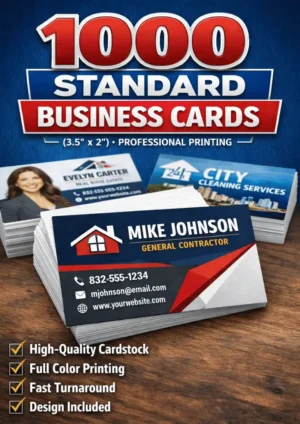
Think beyond the first job. A logo you send for business cards (our 1000 standard business cards are 3.5 x 2 in) may end up on a shirt or a tumbler next, and one vector file serves them all. Our business card size and design guide covers what else goes on a card.
How do you get a vector version of your logo?
Work down this list and stop when you find one:
- Ask whoever designed it. A designer should have the original files, and asking costs nothing.
- Search your email and chats for files ending in
.ai,.epsor.svg, or for a folder called “brand kit” or “logo pack”. - Ask the printer or web developer who used the logo before. They may have received the vector.
- If you made the logo in a design app, export it again as SVG or PDF instead of PNG.
- If no vector exists, we can rebuild one. We redraw a clean version from the best image you have, when the image is clear enough. If it is not, we tell you before printing.
What if all you have is a small logo from Facebook or WhatsApp?
Many logos only exist as a profile picture or as an image someone forwarded. Those copies are small and compressed, and a screenshot of one is no better. They are the weakest starting point, but you still have options:
- Check the width in pixels against the table above. A 600-pixel image reaches 150 DPI at 4 in, so it may be enough for a left chest but not for a shirt front.
- Look for a better copy: the original upload, your website, an old business card file.
- Send it anyway. We check it and tell you before printing whether it will hold up. Sometimes we can rebuild the logo as clean artwork or enlarge it. Otherwise we suggest a better file or a smaller size.
Our guide to making your logo print-ready covers the full process, and the print-ready artwork checklist shows everything else worth checking before you send a file.
Myths about vector and raster files
- ”I can convert my JPG to SVG online and it will be sharp.” A converter traces the shapes it can see. From a small or blurry source it gives smooth but wrong shapes, with rounded corners and missing details. It cannot add information that is not in the picture. A careful redraw of a clear image is different, and that is what we mean by rebuilding.
- ”Renaming the file changes it.” Changing
.jpgto.svgor.aionly changes the label. The pixels are still pixels, and the file may not even open. - ”A PDF is always vector.” A PDF is a container. A PDF made from a screenshot is still a screenshot.
- ”If it says 300 DPI, it is high resolution.” That label can be changed without adding a single pixel. The width and height in pixels are what count.
- ”Vector is always better.” Not for photos. A photo should stay raster, at a high resolution.
How we can help with your logo or image
Send whatever you have: a vector file, a PNG, a JPG, a PDF, a PSD or even a photo of a printed logo. We check the size and resolution, prepare the print-ready file at the right size and canvas, and show you a mockup. Nothing is printed until you approve it.
Most standard orders are ready in 2-5 business days after you approve the design, and larger or more complex orders may need more time. You can pick up in Houston or have it shipped across the U.S., and we answer in English or Spanish. See how made-to-measure printing works, check the artwork guidelines, or ask for a free quote.
Before you send a logo: quick checklist
- I looked for the original vector file (AI, EPS or SVG) or asked the designer
- If I only have pixels, I checked their width against the size I want to print
- The background is transparent, with no white box
- It is not a screenshot, and I used the best copy I could find
- I know where it goes: shirt front, left chest, mug or card
- If the logo is dark, I have a white or light version for dark shirts
Products mentioned in this guide
-
T-shirt
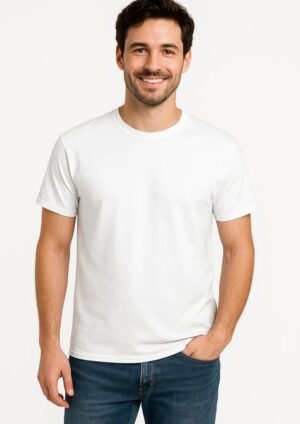
Gildan G500 Heavy Cotton™ 5.3 oz T-Shirt
$17.99 Select options This product has multiple variants. The options may be chosen on the product page
Frequently asked questions
What is the difference between vector and raster images?
Vector images are built from mathematical paths, so they stay sharp at any size. Raster images are built from a fixed grid of pixels, so they get blurry or blocky when enlarged. Logos and lettering are best as vector, while photos are raster. For raster files, resolution matters: aim for 300 DPI at the final print size.
Which is better for printing a logo, vector or raster?
Vector is better for logos because it scales to any print size without losing quality. If you only have a raster logo, a large PNG with a transparent background works well, as long as it has enough pixels for the size you want. We accept PNG, SVG, AI, EPS, PDF, JPG and PSD.
How can I tell if my logo is a vector file?
Open it and zoom in to 400% or more on a curved edge. If the edge stays smooth, it is vector. If it turns into squares or goes fuzzy, it is raster. Files ending in SVG, AI or EPS are usually vector, but a PDF can be either one, so zoom to check.
Can you print my logo if I only have a JPG or a screenshot?
Send it and we will check it. We tell you before printing whether it will hold up at the size you want. Sometimes we can rebuild the logo as clean artwork or enlarge it. If we cannot, we suggest a better file or a smaller print size.
Does converting a JPG to SVG make it high quality?
No. An online converter traces the shapes in the picture, but it cannot add detail that was never there. A small or blurry JPG becomes a smooth but inaccurate shape. Renaming the file extension changes nothing either. A careful redraw of a clear image is different, and we can do that when the source allows.
Practical guides from our studio in Houston, Texas. We prepare your print-ready file, show you a mockup and print nothing until you approve it. Questions? Message us in English or Spanish. About us
More guides for you
What Is Bleed in Printing? Bleed, Trim and Safe Zone Explained
What bleed, trim and safe zone mean, with the exact business card and flyer sizes (3.75 x 2.25 in and 4.25 x 6.25 in), what goes wrong without them and how to set them up.
What DPI Do You Need for Printing? 300 DPI Explained Simply
The plain answer to what DPI you need for printing: 300 at the final size, 150 as the minimum. With the pixel math for shirts, cards and tumblers, and how to check your own file.
Print-Ready Artwork Checklist: 12 Things to Check Before You Send Your File
A 12-point checklist for getting a file ready to print: format, resolution, size, background, fonts, color, bleed and what to send. You do not have to do it alone, because we prepare the file for you.
Tell us your idea — we make it real
Send your design, your idea or just a description. We prepare the file at the right size and personalize it for you — in English or Spanish, by message or on WhatsApp.