How to Make Your Logo Print-Ready (Even If You Only Have a Screenshot)
A step-by-step guide to getting a logo ready for shirts, cards and drinkware: which files to look for, which versions to keep, and what we do when all you have is a screenshot.
The short answer: a print-ready logo is a sharp file with a transparent background, ideally a vector (.svg, .ai, .eps or a vector PDF) or a large PNG. It also comes in a few versions, including a white one for dark garments. If all you have is a screenshot or a small JPG, you can still print: send us what you have and we rebuild it as clean artwork when possible.
This guide is for business owners, church and team organizers, and anyone who has been told “your logo is too small” or “send a better file.” You will learn where to find the best version of your logo, what to ask a designer for, which versions to keep and how to check the file before you send it, so your print-ready logo looks sharp on a shirt, a mug or a business card.
What makes a logo print-ready?
A print-ready logo has three qualities, and none of them is fancy:
- Enough detail for the size. A vector file is built from shapes, so it prints sharp at any size. A PNG or JPG is built from pixels, so it needs enough of them for the print size.
- A transparent background. Without one, the white or colored box around your logo can print too. Our guide to removing a background for printing shows how to fix that.
- Clean edges and readable text. No blur, no stair-step edges, no speckles around the letters.
A fourth quality depends on the garment: a dark logo vanishes on a black shirt, which is why you also need a light version. We cover that below.
How many pixels does a PNG logo need?
Multiply the print width in inches by 300 and you get the width in pixels you need at 300 DPI, the resolution we recommend. Half of that is the 150 DPI minimum. Below it, the print is likely to look blurry.
| Where it prints | Print size | Best: 300 DPI | Minimum: 150 DPI |
|---|---|---|---|
| Left chest | 3.5 to 4 in wide | 1050 to 1200 px | 525 to 600 px |
| Sleeve | 3 to 3.5 in wide | 900 to 1050 px | 450 to 525 px |
| Full front, adult S | 10.5 in wide | 3150 px | 1575 px |
| Full front, adult L | 12 in wide | 3600 px | 1800 px |
| Full front, adult 3XL | 14 in wide | 4200 px | 2100 px |
| 11 oz mug wrap | 8.5 x 3.5 in | 2550 x 1050 px | 1275 x 525 px |
| Business card (trim size) | 3.5 x 2 in | 1050 x 600 px | 525 x 300 px |
| Keychain | 2 in | 600 px | 300 px |
A logo that is 600 px wide is fine for a keychain, borderline for a 4 in left-chest print (150 DPI) and far too small for a 12 in front (50 DPI). The shirt rows are for adult unisex shirts. Youth and women’s cuts have smaller print areas, and we confirm the exact size before printing. For more on resolution, read what DPI you need for printing.
Vector files skip this math because they have no fixed pixel size. That is why a logo should be a vector whenever possible, as we explain in vector vs raster images for printing.
Where do you find the best version of your logo?
Check these in order and use the first one you find:
- Files from the person who designed it. Ask for the original files: AI, EPS, SVG, a vector PDF or a layered PSD. This is the best you can send.
- The app where you made it. If you built the logo in a design app, open the original design and download the biggest PNG, a vector format if the app has one, or a PDF. Choose the transparent-background option if your plan offers it.
- Your website designer or a previous printer. The shop that printed your last cards or shirts may still have the file it used. It costs nothing to ask.
- A large PNG or JPG. Good enough if its width in pixels matches the table above.
- A screenshot, a social media picture or a photo of a printed card. This is the last resort. Profile pictures are usually small and compressed, and a photo of a card carries glare, angles and shadows.
Be careful with PDFs: a PDF can hold shapes or pixels. A PDF made from a screenshot is still a screenshot.
What should you ask your designer for?
If a designer, a freelancer or a friend made your logo, you can ask for the full set of files. Copy this message and change the details:
The 4200 px width matches the widest adult shirt print area (3XL, 14 in) at 300 DPI, so one export covers every adult shirt size. Outlines matter because a file with live text needs the exact font installed to look right. Converting the text to outlines turns the letters into shapes, so nothing changes on another computer.
Which logo versions do you need?
One logo file rarely works everywhere. These are the versions worth having, and where each one is used.
| Version | What it is | Best for |
|---|---|---|
| Full color | The logo exactly as designed | White and light shirts, business cards, white mugs and tumblers |
| Reversed | The same logo with light letters and shapes that stay visible on dark fabric | Black, navy and other dark shirts and hoodies |
| One color, black | A single dark color with no gradients | Light shirts, simple one-color prints, vinyl |
| One color, white | The same logo in solid white | Dark shirts and hoodies, caps and polos |
| Icon only | The symbol without the name or tagline | Left chest, sleeves, keychains, any small space |
| Embroidery version | Bold shapes, a few solid colors, no tiny text or gradients | Polos and caps |
A dark logo on a dark shirt is a classic reason a mockup looks wrong, and a white version fixes it in one step. Our guide to the best print method for dark shirts explains how dark garments are printed.
When you turn a multicolor logo into one color, shapes that were separated by color can merge into one blob. Keep a thin gap between them.
What if all you have is a screenshot or a small JPG?
You still have options, in this order:
- Look again for a better source. Five minutes of searching the list above can save the whole job.
- Send it to us anyway. When the shapes and lettering are simple enough, we rebuild the logo as clean artwork: we redraw the shapes, match the fonts and colors as closely as we can, and show you the result in the mockup before anything is printed.
- Accept the limits. Enlarging a small image does not add detail. It only makes the blur bigger. Logos with photos, textures or fine gradients may need to be simplified.
If a screenshot really is all you have, zoom in on the logo so it fills the screen before you capture it, and send the screenshot file itself, not a photo of the screen. On WhatsApp, send it as a document so the app does not compress it again.
How do you check your logo before you send it?
- Zoom test. Open the file and zoom to 400%. If the edges stay perfectly smooth, you have a vector. If you see squares or soft edges, the file is made of pixels, so check its width against the table. A logo that already looks soft at 100% zoom will print soft.
- Size test. Find the width in pixels (Properties and then Details on Windows, Get Info on a Mac, the info panel in your phone gallery) and compare it with the table above.
- Background test. Place the logo on a dark color in any design app or slide. If a box appears around it, the background is not transparent.
- Spelling test. Read every word, phone number and web address in the logo out loud. A typo in the file is a typo on every shirt.
How do you simplify a logo for small prints?
A logo that looks great on a website can fall apart at 4 inches wide on a left chest or 2 inches on a keychain.
- Drop the tagline, or use the icon-only version. Small text is the first thing to blur.
- Thicken hairlines. Very thin lines and tiny gaps can fill in or break up. Use a bolder line or remove the detail.
- Use fewer, flatter colors. Solid colors are more dependable, especially for vinyl and embroidery, and gradients do not stitch well.
- Leave clear space. Keep an empty margin around the logo, about the height of its first letter, so nothing crowds it.
- Test at the real size. Print the logo on regular paper at the width it will have on the item, or measure that width on your screen with a ruler. If you cannot read the smallest words at arm’s length, they will not read on a shirt.
For custom hats and caps and polos we offer embroidery. The logo is converted into stitch instructions (this is called digitizing), and a simplified version stitches cleaner than a detailed one.
What goes in a logo kit folder?
Keep one folder with the same files in the cloud and on your phone. It saves time every time you order shirts, cards or flyers.
logo-full-color.svgandlogo-full-color.pnglogo-black.svgandlogo-black.pnglogo-white.svgandlogo-white.png(check it on a dark background, because white on white looks empty)logo-icon.svgandlogo-icon.png- A short note or PDF with your color codes and font names
Save every PNG at least 4200 px wide, with a transparent background. Use plain names and skip “final2” and “new-new”: the file you send us should be obvious. A logo kept consistent across shirts, cards and signs is recognized faster, a topic we cover in brand consistency on merch.
How we help with your logo
Send the logo in whatever condition it is in: a vector file, a PNG, a small JPG or a screenshot. We compare it with the print size, rebuild it as clean artwork when we can, adapt it to the shirt color you choose, and prepare the file at the right size and canvas. Then we show you a mockup, and nothing is printed until you approve it.
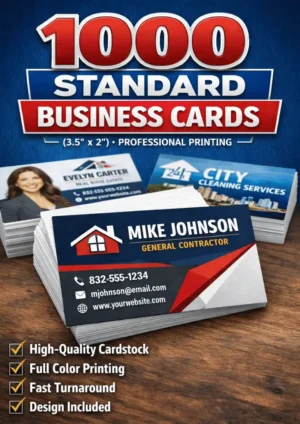
Once the file is ready, the same logo can go on a Gildan G500 tee, a piqué polo or 1000 standard business cards. Read our artwork guidelines, see how made-to-measure printing works, or ask for a free quote. We answer in English or Spanish.
Quick checklist before you send your logo
- I looked for the original file (AI, EPS, SVG or vector PDF) before settling for a PNG
- My PNG is wide enough for the print size in the table
- The background is transparent, not white
- I have a black version and a white version, or I will ask for them
- The smallest text is still readable at the real size
- I read every word and number in the logo
- I am sending the file itself, as a document on WhatsApp, not a photo of a screen
Products mentioned in this guide
-
Polo Shirt
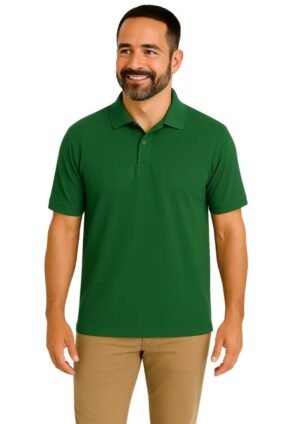
Piqué Classic Polo Shirt for Men – Casual and Formal Wear with Breathable Fabric
$26.99 Select options This product has multiple variants. The options may be chosen on the product page -
T-shirt
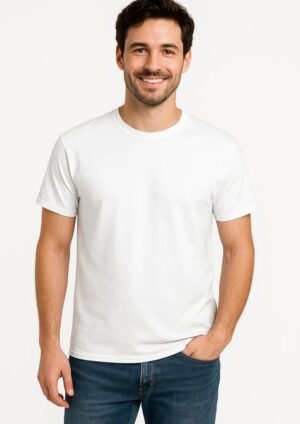
Gildan G500 Heavy Cotton™ 5.3 oz T-Shirt
$17.99 Select options This product has multiple variants. The options may be chosen on the product page
Frequently asked questions
What is the best file format for a logo that will be printed?
A vector file is best: SVG, AI, EPS or a vector PDF, because it prints sharp at any size. The next best choice is a PNG with a transparent background and at least 4200 px of width, which covers every adult shirt print area at 300 DPI. JPG and PSD files also work when the resolution is high enough.
Can you print my logo if I only have a screenshot?
Often yes, but a screenshot limits how large and how sharp the print can be. Send it with the item and the size you want. When the shapes and lettering are simple enough, we rebuild the logo as clean artwork and show you a mockup. Nothing is printed until you approve it.
Does my logo need a transparent background?
For most prints, yes. A white or colored box around the logo can print as a box, especially on dark or colored shirts. Save the file as a PNG with a transparent background, or send a vector file. If your logo only exists on a white background, send it anyway and we remove the background when we can.
Which logo versions should a small business keep?
Keep at least four: full color, all black, all white and an icon-only version, each as a vector file and as a large PNG. The white version is for dark shirts and hoodies, the black one for single-color jobs, and the icon for left-chest prints, sleeves and keychains. Add a short note with your color codes and font names.
How many pixels wide should my logo be for a left-chest print?
A left-chest print is 3.5 to 4 inches wide, so aim for 1050 to 1200 pixels at 300 DPI. The lowest we work with is 150 DPI, which is 525 to 600 pixels, and below that the print is likely to look blurry. A full front needs far more: 3600 pixels for a size L, which prints 12 inches wide.
Practical guides from our studio in Houston, Texas. We prepare your print-ready file, show you a mockup and print nothing until you approve it. Questions? Message us in English or Spanish. About us
More guides for you
What Is Bleed in Printing? Bleed, Trim and Safe Zone Explained
What bleed, trim and safe zone mean, with the exact business card and flyer sizes (3.75 x 2.25 in and 4.25 x 6.25 in), what goes wrong without them and how to set them up.
What DPI Do You Need for Printing? 300 DPI Explained Simply
The plain answer to what DPI you need for printing: 300 at the final size, 150 as the minimum. With the pixel math for shirts, cards and tumblers, and how to check your own file.
Vector vs Raster Images for Printing: What’s the Difference?
Vector or raster, which one should you send? A plain-English guide to how each file works, a 30-second test to tell them apart, and what to do when your logo only exists as a small picture.
Tell us your idea — we make it real
Send your design, your idea or just a description. We prepare the file at the right size and personalize it for you — in English or Spanish, by message or on WhatsApp.