Flyer Design Tips: How to Make a 4×6 Flyer People Actually Read
A standard flyer is 4 x 6 inches. This guide covers the file size, a layout that works, simple copy, bilingual and QR code tips, and where to hand out flyers around Houston.
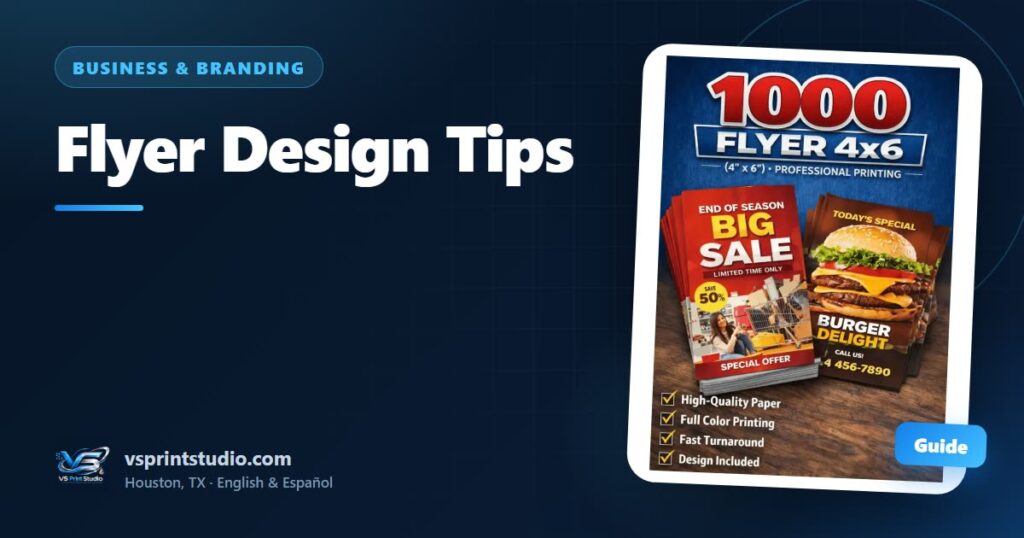
The short answer: a standard flyer is 4 x 6 inches (about 10.2 x 15.2 cm), and the file should be built at 4.25 x 6.25 inches (1275 x 1875 pixels at 300 DPI) so the design can run past the cut. A flyer people actually read has one headline, one message, one thing to do next and contact details that are easy to find. Everything else is decoration.
These flyer design tips are for local business owners, churches, schools and anyone handing out flyers around Houston. You will find the exact sizes, a top-to-bottom layout, a simple formula for the words, advice on bilingual flyers and QR codes, ideas for where to hand them out, and a checklist to run before you send your file.
4x6 flyer size: trim, bleed and safe zone
A 4x6 flyer is the size of a standard photo print. It is small enough to hand over, tuck into a bag or leave on a counter, and large enough for one clear message. The small size is also a limit: there is no room for a whole menu, so you have to choose.
| Part of the file | Inches | Pixels at 300 DPI | What it does |
|---|---|---|---|
| Trim (the final flyer) | 4 x 6 | 1200 x 1800 | The size of the printed piece |
| Artwork with bleed | 4.25 x 6.25 | 1275 x 1875 | The full file, including the strip that is cut off |
| Safe area | 3.75 x 5.75 | 1125 x 1725 | Where text, logo and QR code must stay |
The file is set up vertically (portrait). If you want a horizontal flyer, say so in your request and we confirm. The bleed and safe-zone rules are the same as for business cards: backgrounds and photos run 0.125 inch past the trim, and anything important stays 0.125 inch inside it. Our guide to bleed and the safe zone explains why, and the business card size and design guide shows the same setup on a smaller canvas.
For sharpness, use 300 DPI at the final size and treat 150 DPI as the minimum. A full-page photo needs at least 1275 x 1875 pixels to print sharp, and a photo saved from social media or a chat usually is not that large. See what DPI to use for printing for the details.
Flyer design tips: the anatomy of a flyer that works
Start by giving the flyer one job. A flyer can announce an event, introduce a service or invite people to message you, but it cannot do all three well. If you have two messages, make two flyers.
Then build it from top to bottom:
| Zone | What goes there | Rule |
|---|---|---|
| Top third | Headline plus one strong image or your logo | The headline says what it is or what is happening, in plain words |
| Middle | Two to four short lines: what, when, where or why | One idea per line; use short bullets, not paragraphs |
| Bottom | The action, with phone, QR code, address or website | One action only, in large, clear type |
| Edges | Nothing important | Everything stays inside the safe zone |
What to write: problem, solution, proof, action
Good flyer copy is short and follows a simple order:
- Problem. Start with the situation your reader is in, such as “Overgrown yard?” or “Moving this weekend?”
- Solution. Say what you offer in one line.
- Proof. Add one true fact that makes the offer believable: the neighborhoods you serve, a license number if your trade requires one, or a real review you have permission to quote. If you have nothing real to show yet, leave this line out. Never invent proof.
- Action. Give one next step, and a date if there is a real one.
An event flyer follows a different order: what it is, the date and time, the place, and who it is for. Put the date and time in large type, because that is what people look for first.
Fonts, contrast and white space
On a 4x6 flyer, every extra element makes the others smaller. Use these sizes as starting points:
| Text | Starting size | Height at 300 DPI |
|---|---|---|
| Headline | 28–40 pt | about 117–167 px |
| Supporting lines | 12–16 pt | about 50–67 px |
| Phone, WhatsApp, web address | 14–18 pt | about 58–75 px |
| Fine print | 8 pt at least | about 33 px |
- Fonts. Use two at most: a bold one for the headline and a plain one for the rest. Skip thin or script fonts for anything people must read quickly.
- Contrast. Dark text on light, or light text on a solid dark background. If you put text over a photo, add a solid band or a dark layer behind it.
- Images. One strong image beats three small ones. Use a sharp photo at the size you need, never a screenshot, and keep text off the busiest part of it.
- Colors. Two or three colors that match your logo are enough. Bright screen colors can print a little duller, so judge the color on the mockup.
- White space. Room around the headline and the action makes both easier to find. When the flyer feels crowded, delete a line.
Front and back: how to use both sides
Treat the front as the hook and the back as the details. The front carries the headline, the image and the action. The back can carry the extras: a list of services, hours, an address or map, a QR code, or the same flyer in the second language.
Our 4x6 flyer is listed with full-color printing on the front, and the flyer product page shows double-sided printing and a glossy or matte finish as options. Tell us in your request which ones you want. If you print one side only, put everything essential on the front, including the QR code and the phone number, because the back will be blank.
A glossy finish makes photos look rich. Matte is easier to read under glare and to write on, which helps if people will jot down a date.
Bilingual flyers for Houston
If your neighbors read English, Spanish or both, a bilingual flyer widens your audience, but only if it stays readable. There are three ways to do it:
- One flyer per language. Each one is written natively and gets the full space. Hand the English one out in one place and the Spanish one in another. It means two files, and it gives the cleanest result.
- One language per side. English on the front and Spanish on the back, which needs a printed back. Each side has its own headline and action.
- Both languages on one side. This works only when the text is short, like an event: a bilingual headline, then date, time and place in both languages.
Write each language natively instead of translating word for word, and have a native speaker read the final text. Keep dates, times and phone numbers identical in both. A single WhatsApp QR code works for both languages, because people can write to you in the one they prefer.
QR codes on a flyer
A QR code is the easiest way to get someone from paper to a conversation. The rules are the same as on a card, with a few that matter more on a flyer:
- Point it at one thing: a WhatsApp chat, a page that matches the flyer’s message, a booking form or an event page. A home page is rarely the best choice.
- Make it bigger than on a card. About 1 inch is comfortable on a flyer held in the hand. Go larger on a flyer pinned to a board, where people read from a step back. Below about 0.8 inch, scanning can get unreliable.
- Leave a blank margin around the code and keep it dark on a light background.
- Say why. “Scan to message us on WhatsApp” works better than a bare code.
- Print the phone number or web address anyway. Not everyone scans.
- Test it from a printed copy at 100% scale with two different phones.
You can also tell batches apart. A WhatsApp link can include a first message, so one batch can say “I saw your flyer at the market” and another “I saw your flyer at church”. You will know which place brings messages. Keep that first message short.
Where to hand out flyers around Houston
A good flyer in the wrong place goes nowhere. These are places that tend to suit local services, events and small businesses:
- Church and school events. Ask the organizer first, because many have rules about what can be handed out.
- Community boards in supermarkets, laundromats, libraries and coffee shops. Ask before you post.
- Local stores and restaurants. A small stack by the register, with the owner’s permission.
- Markets, fairs and festivals. Check the vendor rules, and pair the flyer with a short hello.
- Your own deliveries and finished jobs. Slip a flyer in with every order.
- Next to your business card. The card carries your contact details, and the flyer carries one offer.
- Neighborhood walks. Rules differ by neighborhood, HOA and apartment complex, so check them first. Do not put flyers inside mailboxes, because postal rules reserve them for mail.
How many replies a flyer brings depends on the offer, the place and the timing, so we do not quote numbers. What you can do is track it: use a different first message for each batch and see which place brings people to you. For a bigger push, our guide to promotional products that work has ideas to pair with flyers.
How we can help with your flyers
Start with a finished design, an idea or only your business name. We prepare the print-ready file at the right size and canvas, create the design when you need one and show you a mockup. Nothing is printed until you approve it, and most standard orders are ready in 2–5 business days after approval. Larger or more complex orders may need more time; the quote confirms the date.
See custom flyers and the 4x6 flyers in our shop. Cards and flyers work well as a pair, so look at custom business cards too. Pick up in Houston or have them shipped anywhere in the U.S., in English or Spanish. For an urgent date, message us on WhatsApp first: selected items may qualify for rush production, depending on workload and artwork readiness.
Flyer checklist: avoid the common mistakes
- The flyer has one job: one headline, one message and one action, not a list of everything I do
- The file is 4.25 x 6.25 in (1275 x 1875 px at 300 DPI) and the final flyer is 4 x 6 in
- Backgrounds and photos run into the bleed, and text, logo and QR code stay at least 0.125 in inside the trim
- Someone can read the headline in three seconds, and the smallest text is at least 8 pt
- An event flyer shows the date, time and place in large type
- Date, time, place, phone number (with area code) and web address are checked digit by digit, by me and by someone else
- Contrast is strong, there are no more than two fonts, and no light text sits on a busy photo
- The image is sharp at full size and is not a screenshot
- The QR code is at least about 0.8 in, has a blank margin and scanned correctly from a printed test
- The second language, if there is one, was written natively, is not in tiny type and was read by a native speaker
- I know where the flyers will go and I have permission where it is needed
Products mentioned in this guide


Frequently asked questions
What is the standard flyer size?
A standard flyer is 4 x 6 inches (about 10.2 x 15.2 cm), the size of a photo print. Build the file at 4.25 x 6.25 inches (1275 x 1875 pixels at 300 DPI) so backgrounds and photos can run past the cut, and keep text and logos at least 0.125 inch inside the final edge.
What should a flyer include?
One headline that says what it is, a short block of details (what, when, where), one clear action and contact details that are easy to find, such as a phone number, WhatsApp or a QR code. For an event, put the date, time and place in large type. Leave out anything that does not help the reader act.
What font size should I use on a 4x6 flyer?
As starting points, use 28 to 40 pt for the headline, 12 to 16 pt for supporting lines, 14 to 18 pt for the phone number or web address, and nothing smaller than 8 pt. Use two fonts at most, with strong contrast between text and background, and check the mockup at actual size.
Can I make a bilingual flyer in English and Spanish?
Yes. You can make one flyer per language, put English on one side and Spanish on the other (this needs a printed back), or use both languages on one side when the text is short. Write each language natively, keep dates and phone numbers identical, and ask a native speaker to read the final text.
Where can I hand out flyers in Houston?
Good places include church and school events, community boards, local stores and restaurants that give permission, markets and festivals, and your own deliveries. Ask permission first, check HOA and apartment rules before going door to door, and never put flyers inside mailboxes, because postal rules reserve them for mail.
Should I put a QR code on my flyer?
Yes, if it points to one useful place, such as a WhatsApp chat or a page that matches the flyer's message. Print it at least about 0.8 inch wide, larger if people scan from a step away, with a blank margin and a short line saying why to scan. Also print the phone number, and test with two phones.

Practical guides from our studio in Houston, Texas. We prepare your print-ready file, show you a mockup and print nothing until you approve it. Questions? Message us in English or Spanish. About us
More guides for you

Cleaning Business Uniforms: What to Choose and How to Brand Them
How to uniform a cleaning crew in Houston: the best shirts for the heat, colors that hide everyday dirt, where the logo and phone number go, extras like caps and cards, and a sample spec to copy.
Employee Uniform Program Checklist for Small Businesses
A practical checklist for rolling out employee uniforms at a small Houston business: garments by job, logo placement, sizes, new hires, a rollout timeline and a one-page spec to send us.
Business Card Size and Design Guide: What to Put on Your Card
The standard business card is 3.5 x 2 inches. See the bleed and safe zone, what to print and what to leave off, readable layouts, QR code tips and how to make a bilingual card.
Tell us your idea — we make it real
Send your design, your idea or just a description. We prepare the file at the right size and personalize it for you — in English or Spanish, by message or on WhatsApp.